Grow the library: topic search and people you follow
Add metadata parents for works you do not have yet. Filling PDFs is a later step on Wanted. Snowball proposes; you keep, skip, then apply.
Outcome
You will have searched a topic (or followed an ORCID), reviewed the queue, and created catalogue parents for the rows you kept — without fetching PDFs in the same click.
Starting point
Workbench at http://127.0.0.1:8765. A collection chip is helpful (new parents can land there) but topic search itself does not require one.
The screenshots are the Discover page on a live ocean/BBNJ chip.
What you’ll do
Open Discover.
Search a topic; review Keep / Skip.
Preview apply, then Add selected.
Optionally follow people by ORCID on the same page.
Fill PDFs jumps to Wanted for the new parents.
Walkthrough
Topic
Open Discover. Topic is a keyword search (
snowball search, dry-run queue).Type a query (for example
area based management) and Search. Per-row Keep / Skip marks the queue. Nothing is written to Zotero yet.
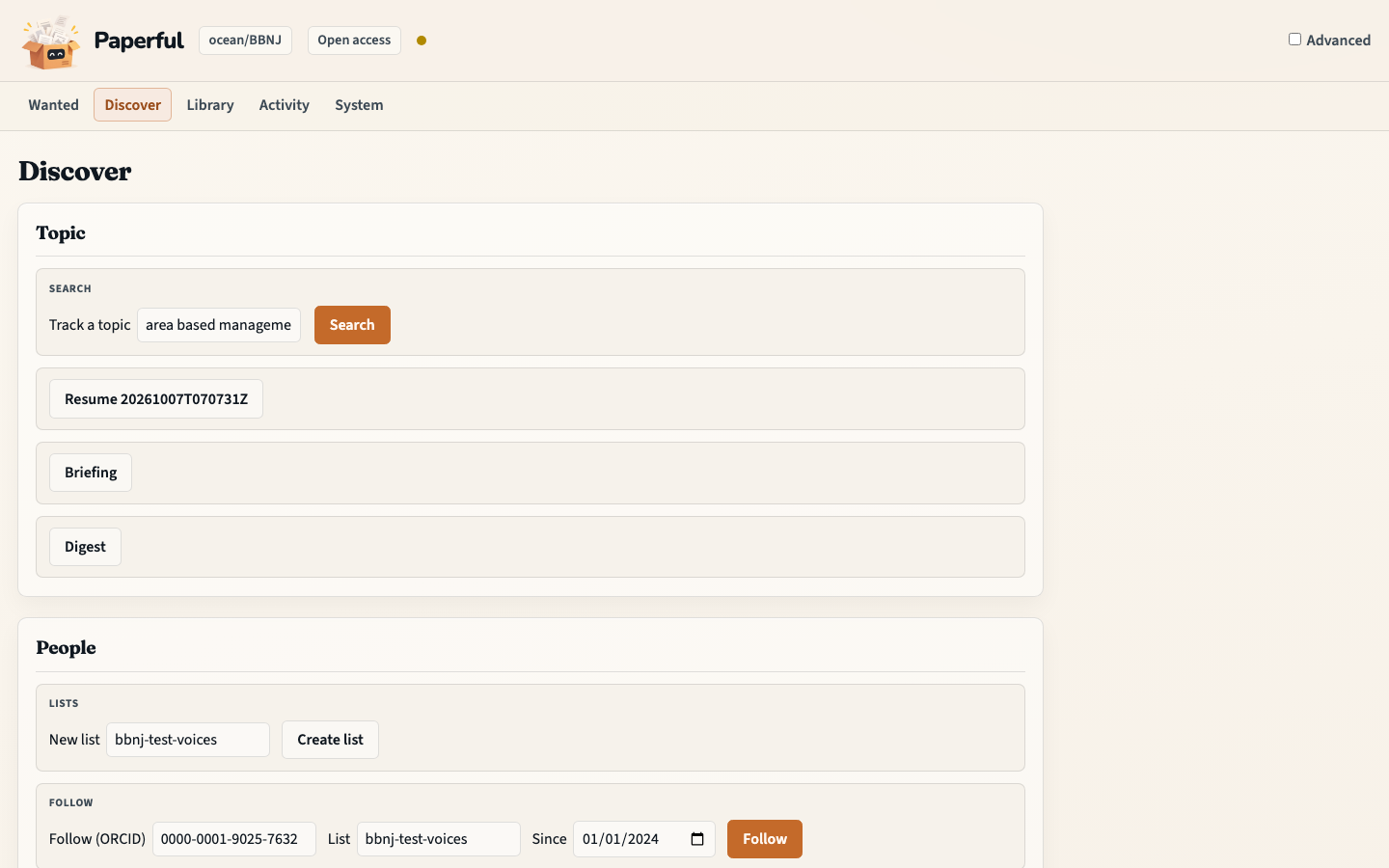
Preview apply, then Add selected. That is
snowball apply(metadata only). A stale preview refuses if the library changed.Optional on the same panel: Briefing / Digest write
briefing.md/digest.mdon the queue (shown on the page; not auto-created). Keep an eye on this saves a topic watch only when a snowball profile is chosen.Fill PDFs opens Wanted. Continue with First fill.
Advanced (toggle, cookie only) adds crawl kinds (hybrid / DOI / ORCID / collection), hop knobs, profile save/run, refs gap, and ingest-dois. Those are the research pack and snowball surfaces, not the first click.
People
Same page, lower panel. This is authorwatch — people you already follow,
not a keyword hop.
Create a named list.
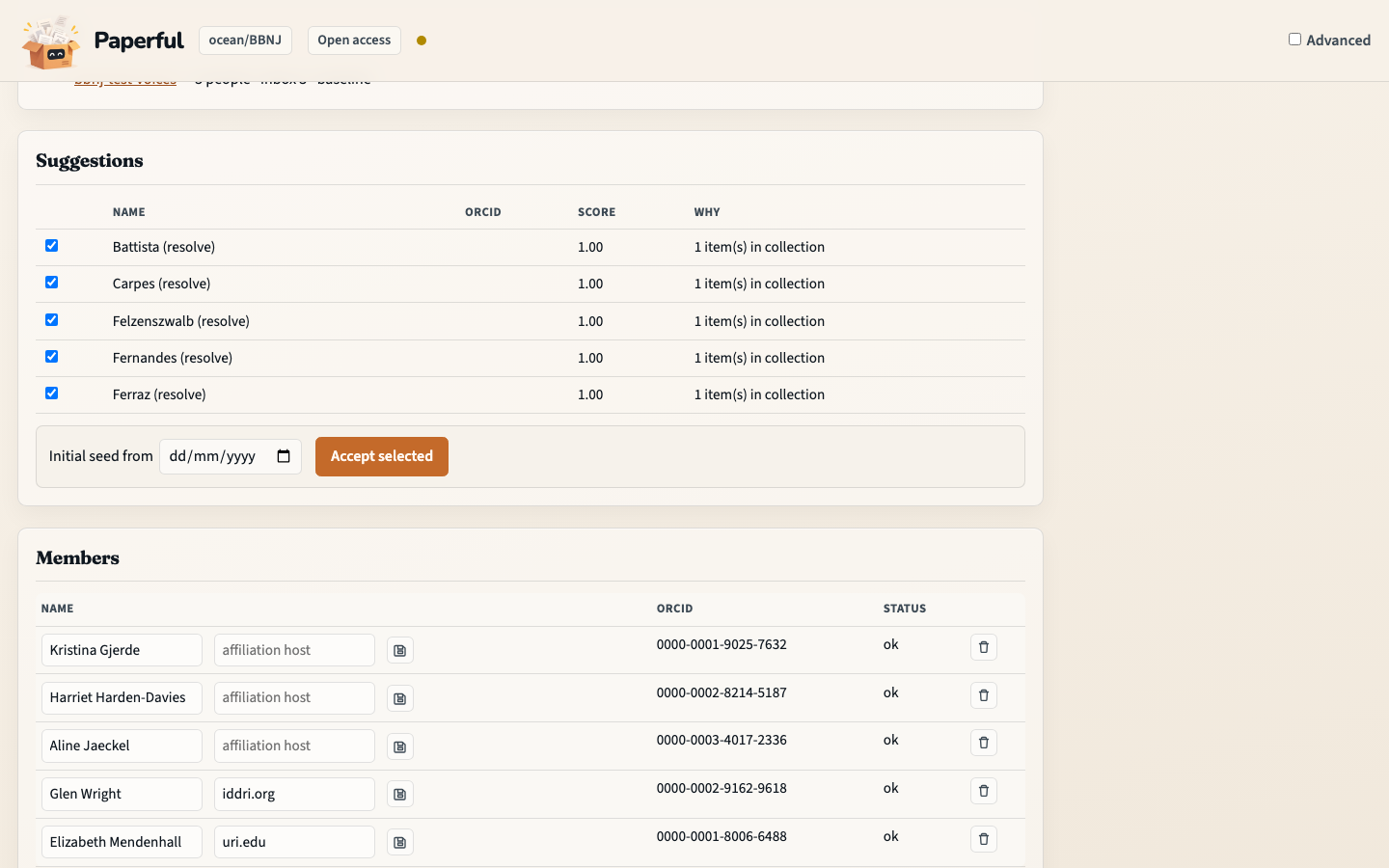
Follow with an ORCID (optional backfill date). Name-only rows stay unresolved until you confirm an iD.
Check again re-runs the list. Inbox rows use the same Preview → apply pattern as topic.
Get suggestions ranks people already in the collection chip (
suggest -C). Tick Accept to put them on the list.
Paperful does not live-scrape ResearchGate or LinkedIn. Save a follows page and Import. Details: Author watch.
What to notice
Discover creates parents. Wanted fills PDFs. Do not conflate them with
run.There is no scheduler. Check again is the re-run.
snowball watch(saved keyword profile) is notauthorwatchand not the PDFinbox watch.
You should now have…
A reviewed queue, new metadata parents for the rows you applied, and a clear next step on Wanted.
CLI equivalent
docker compose run --rm paperful snowball search "area based management" --gate dry-run
# review state/snowball/<run-id>/
docker compose run --rm paperful snowball apply <run-id> --apply -C ocean/BBNJ
docker compose run --rm paperful authorwatch save ocean-people
docker compose run --rm paperful authorwatch add ocean-people --orcid 0000-0002-1825-0097
docker compose run --rm paperful authorwatch run ocean-people
Next
First fill for the new parents
Research pack for works cited inside PDFs you already have
Snowball for hop depth, gates, and watches